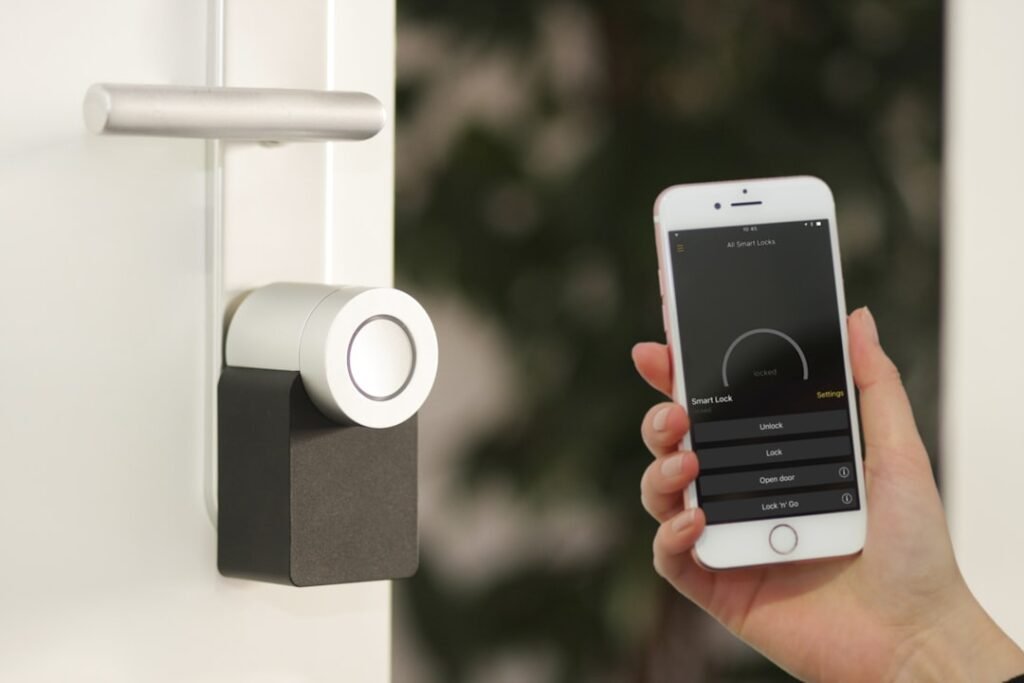
Home security starts with ordinary habits before it becomes a question of cameras, alarms or smart locks. The best protection is layered: make the house less attractive to opportunistic burglars, secure obvious entry points, then add technology carefully. If you are already building better digital routines, pair this guide with our article on cybersecurity habits everyone should build, because many modern homes now mix physical security with connected devices.
This guide covers practical home security, smart-home risks, the pros and cons of smart locks, and the physical upgrades that matter most: doors, windows, frames, cylinders, patio doors and visible access points. The goal is not to make your home feel like a fortress. It is to remove easy opportunities and make security part of normal household behaviour.
Start with common sense: remove the easy wins
Most households do not need to begin with expensive technology. They should begin by looking at the property the way an opportunistic intruder would. Is there a ladder left in the garden? Are bins, garden furniture or low walls making upper windows easier to reach? Are keys visible through the letterbox? Is a laptop or handbag left in view from the street? Are sheds and garages storing tools that could be used to force a door or window?
These details matter because many burglaries are opportunistic. A home that looks careless can invite a quick attempt. A home that looks lived-in, well-maintained and harder to enter is less attractive. The Police.uk home crime prevention guidance is built around the same principle: reduce easy access and make doors, windows, gardens and outbuildings work together.
- Lock doors and windows every time you leave, even for a short errand.
- Do not leave ladders, tools or heavy objects unsecured outside.
- Keep keys, wallets, phones and bags away from doors, windows and letterboxes.
- Use timers or smart lighting to avoid making the house look empty for long periods.
- Keep hedges and dark corners under control so entry points are visible from outside.
- Secure sheds and garages because they often contain tools, bikes and access equipment.
Good home security is often boring on purpose: lock what should be locked, remove what should not be visible, and make forced entry slower, noisier and more obvious.
Doors and windows: the physical layer still matters most
Smart devices can help, but doors and windows remain the main access points. A video doorbell does not stop a weak doorframe from splitting. A camera does not make an old cylinder resistant to snapping. A phone alert does not help much if a ground-floor window is left open. Physical security gives every other layer more time to work.
For doors, look at the whole door set: door material, frame, hinges, cylinder, letterbox, glazing and whether the lock is actually engaged properly. Police.uk advises that some uPVC doors require the handle to be lifted and the key turned for the multi-point locking system to fully engage. In other words, pulling the door shut is not always the same as locking it.
For windows, focus on accessible windows first: ground-floor windows, flat-roof access, windows near drainpipes, windows beside bins or garden furniture, and upper windows reachable with a ladder. The Police.uk window security advice recommends options such as key-operated locks, sash stops, laminated glass or security film for accessible windows.
Door upgrades worth considering
- British Standard or security-rated cylinders where relevant.
- Anti-snap, anti-drill and anti-pick cylinders for compatible doors.
- Reinforced strike plates and stronger keeps on timber doors.
- Hinge bolts for outward-opening or vulnerable doors.
- Letterbox guards to reduce fishing for keys or bags.
- Security chains or viewers so visitors can be checked before opening.
- Patio-door anti-lift devices and extra locking points.
Window upgrades worth considering
- Key-operated window locks for accessible windows.
- Sash stops for sash windows.
- Opening restrictors where ventilation is needed.
- Laminated glass or security film for vulnerable panes.
- Contact sensors or glass-break sensors as part of an alarm system.
- Locks and stops on upper windows if ladders or flat roofs create access.
Smart home devices: useful, but not magic
Smart home technology can make a property easier to monitor and manage. Video doorbells show who is at the door. Smart lighting can simulate occupancy. Cameras can record activity. Smart alarms can send alerts. Smart locks can remove the need to leave spare keys under a plant pot. But each connected device also creates a digital responsibility.
The NCSC guidance on smart devices in the home explains that connected devices need secure setup, updates and careful management. A smart camera with a weak password is a privacy risk. A doorbell account without multi-factor authentication can expose footage or settings. An unsupported device may become unsafe over time because security updates stop.
| Device | Security benefit | Risk to manage |
|---|---|---|
| Video doorbell | Visitor awareness and evidence | Privacy, account takeover, over-sharing footage |
| Smart camera | Monitoring entry points | Weak passwords, insecure cloud storage, blind spots |
| Smart lighting | Makes the home look occupied | App access and unreliable automations |
| Smart alarm | Fast alerts and deterrence | Poor setup, ignored alerts, subscription dependence |
| Smart lock | Access control without physical keys | Battery, account security, override planning |
Before buying a device, check how long it will receive updates, whether it supports multi-factor authentication, whether it can be managed by more than one trusted adult, and what happens if the internet, app or battery fails. Smart devices should support the security plan, not become the weakest part of it.
Smart locks: types, benefits and risks
Smart locks deserve special attention because they control physical entry. They can be convenient and secure when chosen and installed well, but they should not be treated as gadgets. The lock, door, frame and access policy all matter. If you are planning wider upgrades or securing a home after a move, renovation or security incident, include the door hardware in the same review as the app and access settings.
Common types of smart locks
- Retrofit smart locks: fitted over or inside an existing lock mechanism, often keeping the external keyway.
- Full replacement smart locks: replace the existing lock or handle set with a connected unit.
- Keypad locks: allow entry with a PIN, sometimes with temporary codes for guests or cleaners.
- Bluetooth locks: unlock from nearby phones or authorised devices.
- Wi-Fi locks: allow remote management and alerts through the internet.
- Zigbee, Z-Wave or Matter-enabled locks: integrate with smart-home hubs and automation platforms.
- Biometric locks: use fingerprints or other biometric methods, usually with a backup method.
The convenience benefits
The biggest benefit is access control. You can create temporary codes for tradespeople, remove access when a cleaner changes, check whether a door is locked, or avoid copying physical keys. For families, smart locks can reduce the risk of children losing keys. For rental or shared properties, programmable access can be far easier than replacing cylinders after every change.
Smart locks can also create useful logs. If a door opens at an unusual time, an alert can prompt action. If a guest code is used, you know which code was involved. If a family member forgets whether they locked the door, the app may show the current state. This is practical convenience, not just novelty.
The risks of smart locks
The same features also create risks. Remote access means the account must be protected. Temporary codes must expire. Shared access must be reviewed. Batteries must be replaced. Firmware must be updated. A lock should have a safe fallback if the app fails, the phone is lost, the internet is down or the device loses power.
- Account takeover: if the smart-lock account is compromised, access settings may be changed.
- Weak PINs: obvious codes such as birthdays or repeated digits can be guessed or observed.
- Forgotten guest access: old codes for cleaners, guests or contractors may remain active.
- Battery failure: poor maintenance can turn convenience into lockout risk.
- Unsupported devices: locks without ongoing updates may become less secure over time.
- Physical weakness: a smart lock on a weak door does not fix the frame, hinges or glazing.
- Automation mistakes: routines that unlock based on location can behave unexpectedly if phones are shared or stolen.
A sensible smart-lock setup uses unique strong account credentials, multi-factor authentication, carefully named access codes, expiry dates for temporary users, a battery schedule, and a clear mechanical fallback. It also treats the physical door as part of the system. A strong app cannot compensate for a weak cylinder or poor installation.
Security doors, cylinders and window locks
If you want to invest in physical upgrades, start with the points an intruder would attack first. Front doors, rear doors, patio doors and accessible windows usually matter more than decorative gadgets. A security-rated door, well-fitted frame and suitable lock cylinder can make forced entry slower and more difficult. The visible quality of the door can also act as a deterrent.
For uPVC and composite doors, cylinder quality is important. Some older euro cylinders may protrude too far, making them more vulnerable to attack. Police.uk specifically notes that protruding euro profile locks may need replacing with shorter, more secure options. For timber doors, the strength of the frame, strike plate, hinges and mortice lock all matter.
For windows, match the lock to the window type. Casement windows may use key-operated locks. Sash windows may use sash stops. Patio doors may need anti-lift devices and secondary locking. Basement, side-return and rear windows often deserve extra attention because they may be less visible from the street.
A room-by-room home security checklist
Front entrance
- Check the door closes cleanly and locks fully.
- Review cylinder quality and whether it protrudes.
- Keep keys away from the letterbox and windows.
- Add lighting or a video doorbell if visibility is poor.
Back and side doors
- Use the same standard of locking as the front door.
- Check hinges, frames and glazing panels.
- Secure garden gates and reduce hidden approach routes.
Windows
- Lock accessible windows before leaving or sleeping.
- Use restrictors carefully where ventilation is needed.
- Consider laminated glass or security film for exposed panes.
Garden, shed and garage
- Secure ladders, tools and bikes.
- Lock sheds and garages with hardware suitable for outdoor use.
- Use lighting and clear sightlines to reduce hiding places.
Final thought: layer the simple, physical and smart controls
The safest home security plan is not one big purchase. It is a set of layers. Common-sense habits reduce easy opportunities. Physical upgrades make entry harder. Smart devices improve awareness and control. Digital security protects the accounts behind those devices. Family routines keep everyone using the system correctly.
Start with the basics this week: lock doors properly, remove ladders and tools, move valuables out of sight, check accessible windows and review smart-device passwords. Then decide which physical or connected upgrades would actually reduce risk for your property. That sequence keeps home security practical, affordable and much easier to maintain.
Review the setup again after any move, renovation, new device purchase or change in household access.